

Deleting your account
You can delete your INCLUDE account yourself, from the INCLUDE app on your phone or from app.include.co.id. It is the same account, so deleting it once is enough.
From the app or the web
Sign in with the account you want to delete.
Open Profil: press your name at the bottom of the menu. On a phone, open the menu first with the three-line button at the top left.
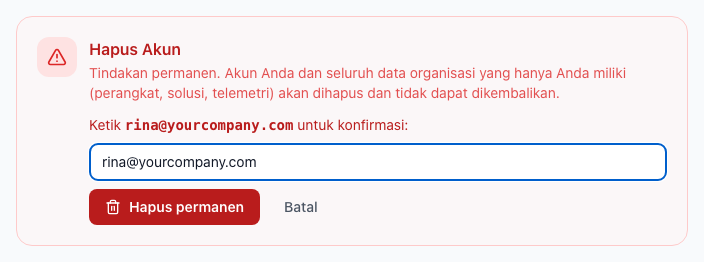
In the Hapus Akun (Delete account) section, press Hapus Akun Saya (Delete my account).
Type your account's email address.
Press Hapus permanen (Delete permanently).
You are signed out at once, and the account can no longer be used.
By email
Cannot sign in any more? Send an email to privacy@include.co.id from your account's email address, with the subject "Account deletion request". We reply once the account is deleted.
What is deleted
- Your account: name, email, password, Google or Apple sign-in, and your phone's notification token.
- Groups where you are the only member, with their devices, solutions, dashboards, alarms and sensor data.
Groups that also have other members stay for them. Invoice and payment records are kept for as long as tax law requires, see the Privacy Policy.
Deleting cannot be undone.