

No data arriving
Check in this order. The first step tells a platform problem apart from a device problem.
1. Send test data
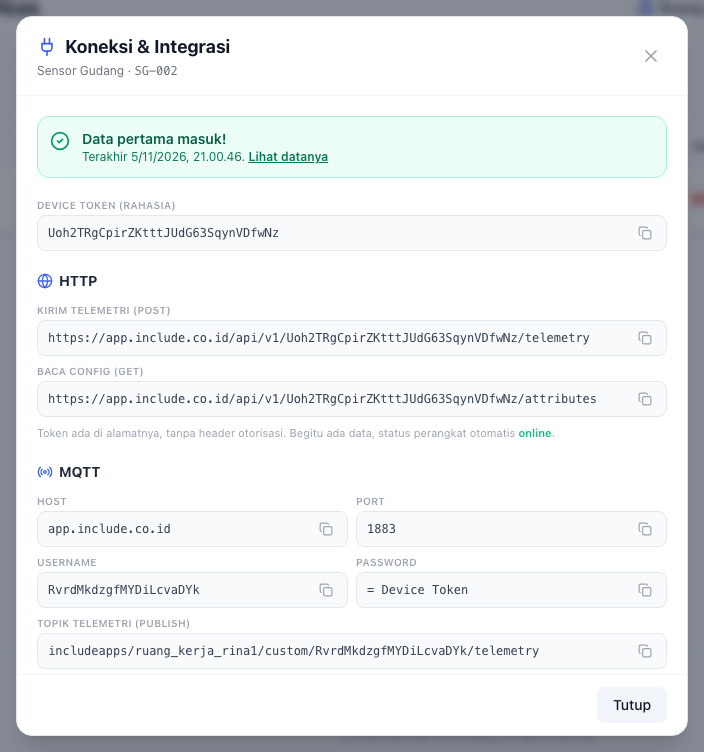
Open the device, the Pengaturan (settings) tab, then Koneksi & Integrasi. Press Kirim data uji.
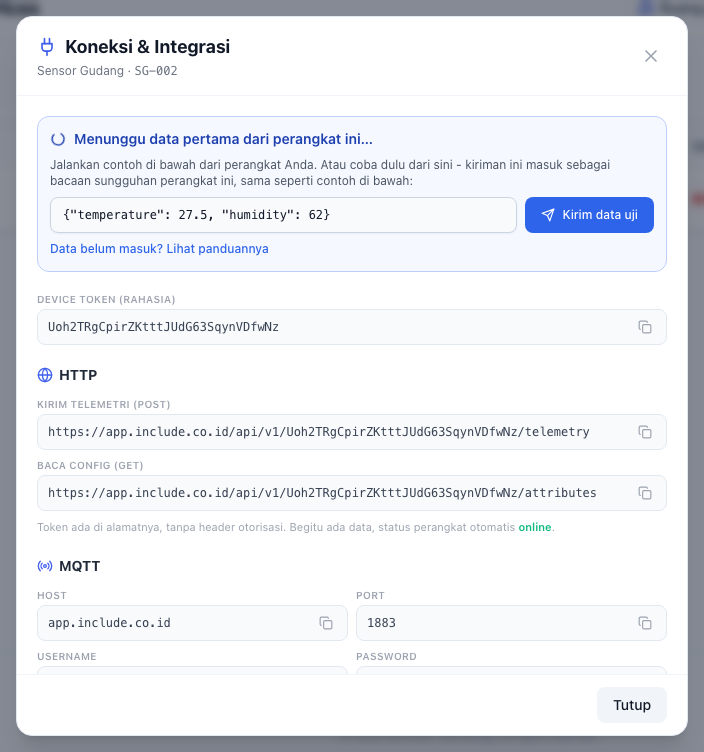
- It arrives (the text turns into Data pertama masuk!): the platform is ready. The problem is in the device, its program, or its network. Go to step 2.
- It does not arrive: contact us on WhatsApp with the device name.
2. Check the address or token
Copy the HTTP address, or the MQTT username and password, again from the Koneksi & Integrasi screen. One wrong character gets the reading refused with 401.
3. Check what is sent
- It must be a JSON object, for example
{"temperature": 25}. - Values must be numbers, text, or
true/false. 400means the body could not be read.
4. Check the device's network
- ESP32: make sure
WiFi.status()isWL_CONNECTEDbefore sending. - Try
curlfrom a computer on the same network as the device. There is an example in Sending data over HTTP.
5. Check the frequency
429 means too often. Send every 10 to 60 seconds.
Response codes
| Code | Meaning |
|---|---|
202 | Accepted. |
400 | Body unreadable, or no usable value. |
401 | Wrong token. |
409 | Device not registered to an Organisation. |
429 | Too frequent. |