

Assets and calculations
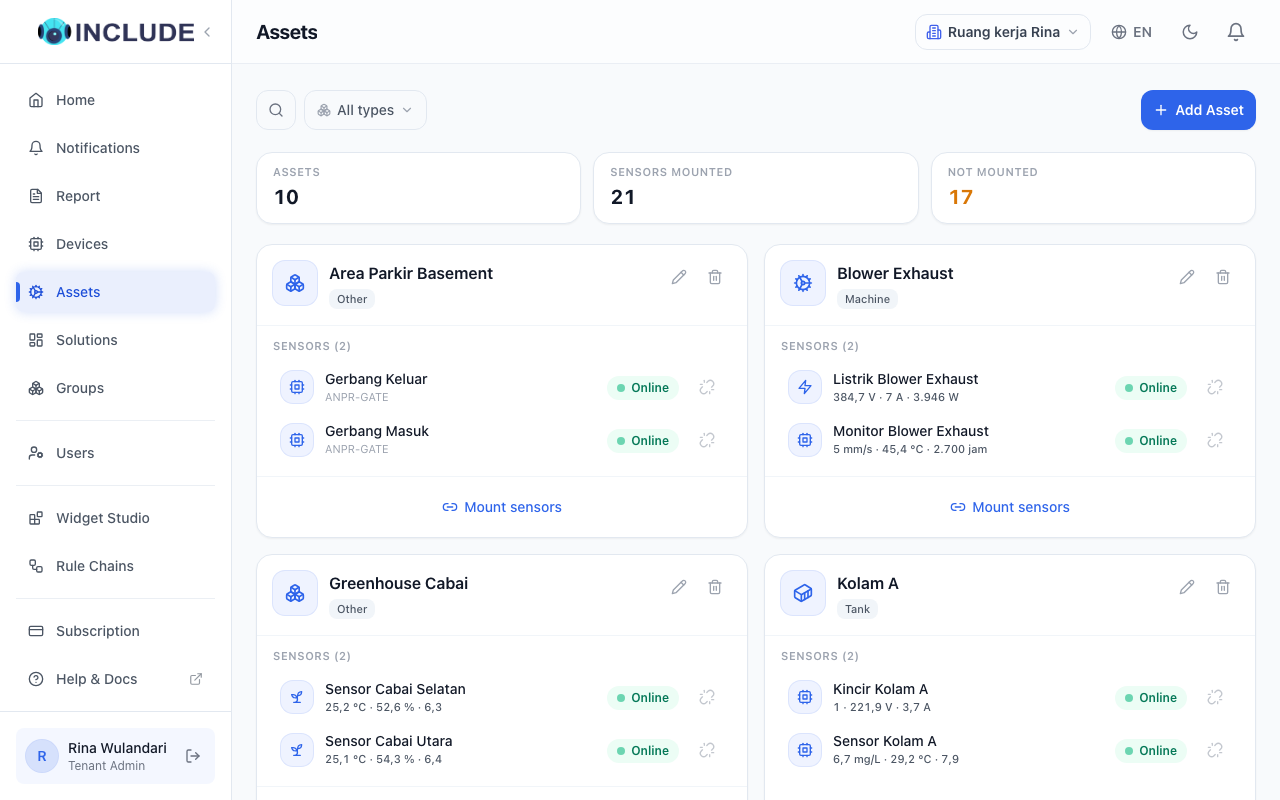
An asset is a thing you monitor, with several sensors mounted on it. For example Motor Induksi A with a temperature sensor, a vibration sensor and an electricity meter: three devices, one thing you look at.
What it is for:
- In a widget, pick the asset. Every reading of every sensor on it is there, without looking for each sensor.
- An asset calculation combines values from two sensors or more, for example the average moisture of two soil sensors in one greenhouse.
A single device does not need to be an asset.
Creating an asset
- Open Aset (assets) in the menu, then press Add Asset.
- Fill in its name and kind, for example
Motor Induksi A, kind Machine. - On the asset's card, press Mount sensors, tick the sensors mounted on that thing, then confirm.
The asset's card shows every sensor with its latest value.
Seeing an asset's details
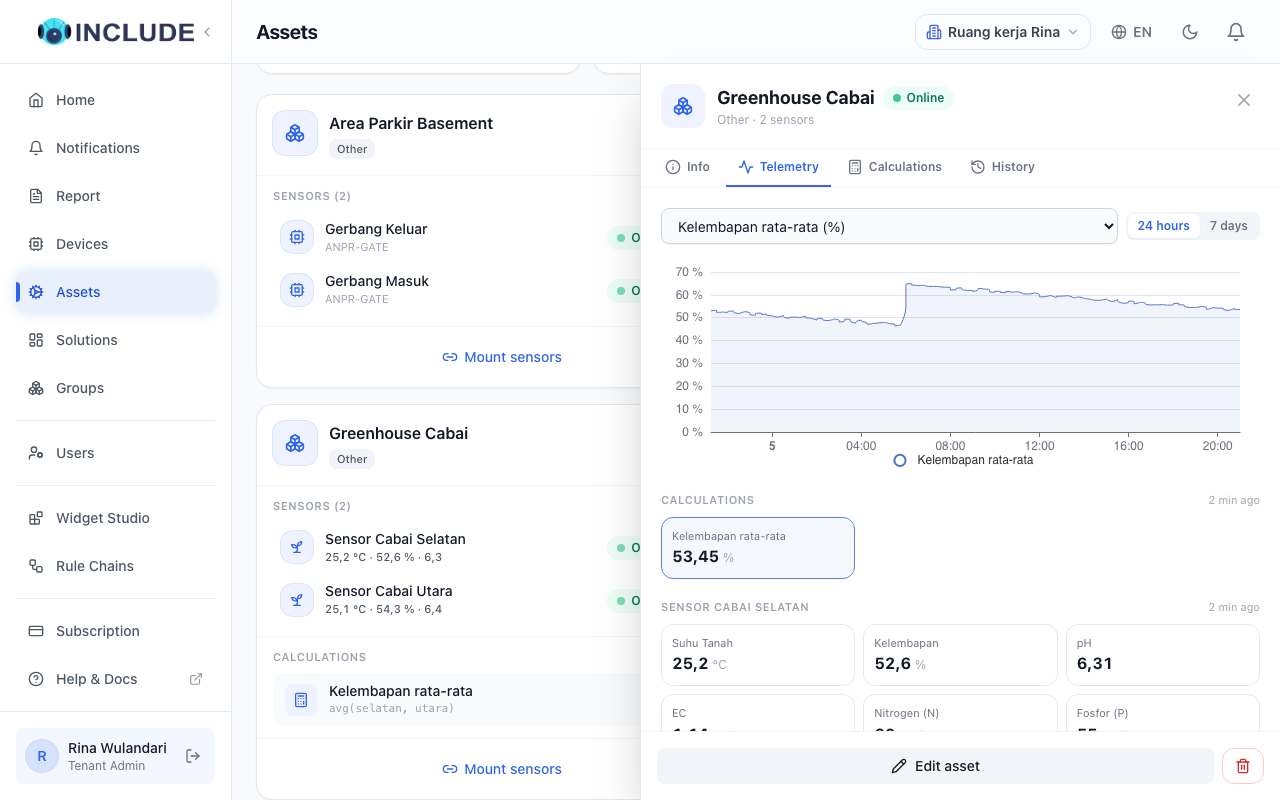
Click the asset's card. Its details open on the right with the tabs Info, Telemetry, Calculations and History. Telemetry shows the latest value of every sensor on the asset, grouped by sensor, and a chart of the reading you click.
Adding an asset calculation
- Click the asset's card, open the Calculations tab and press Add calculation.
- Fill in Name and Unit, for example
Moisture differenceand%. - Pick the data for input a. Press Add input for input b, then pick its data.
- Press a ready formula, for example Average or Difference, or write your own such as
(a + b) / 2. - Check Result now, then press Save.
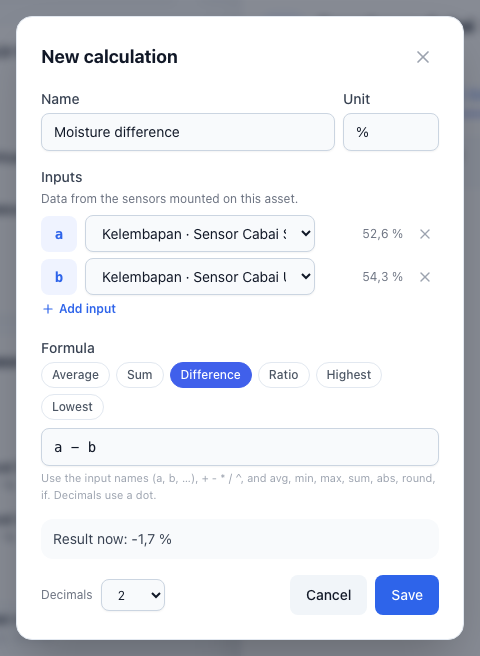
Formulas use the input names (a, b, ...), + - * / ^, and the functions avg, min, max, sum, abs, round, if. Decimals use a dot.
An asset calculation applies to past data too, so its chart is full from the moment it is made.
A calculation on one device
For a value that needs one device only, for example a motor's load from its meter:
- Open Perangkat (devices) in the menu, then click the device.
- Open the Calculations tab, then press Add calculation.
A device calculation is stored with its data, so it also works for safe ranges and alerts.
Using an asset in a widget
When adding a widget, assets are listed first, under Assets. Pick the asset: its data is grouped by sensor, with its calculations first. See Building your own dashboard.